
Intro to iFrames
An inline frame, or iFrame, is an HTML element that allows you to embed another HTML document within the current webpage. Essentially, it creates a window within your page that can display content from another source. This is particularly useful for embedding interactive content such as the StoryFile video player.
Generating an iFrame in Conversa
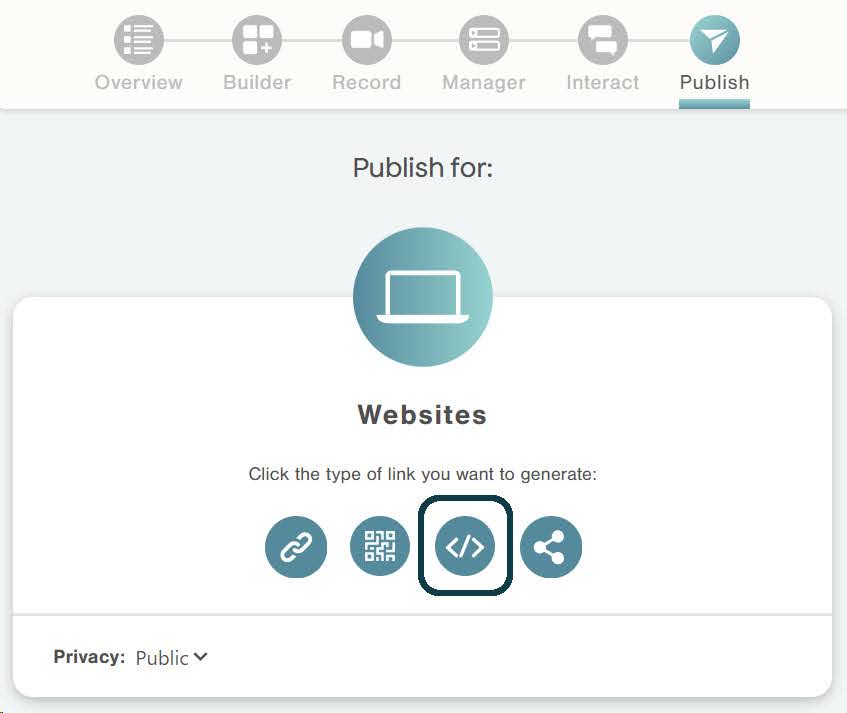
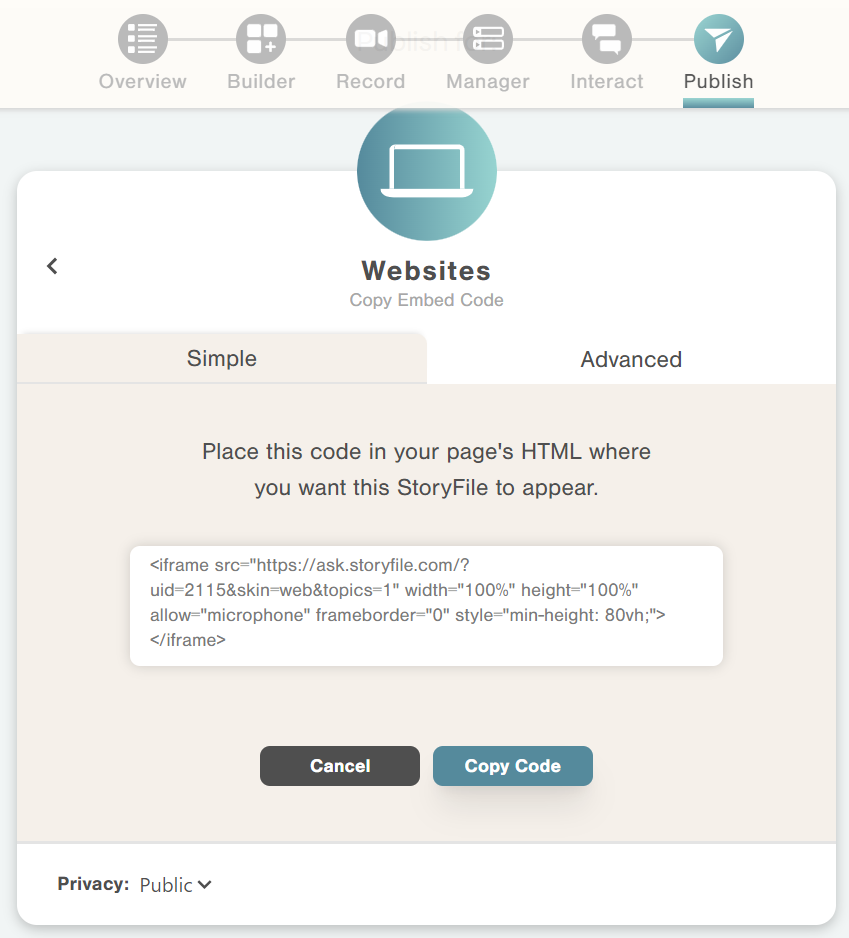
Conversa has the option to create custom embed code automatically. To generate a code, click on the Publish tab from the StoryFile page and click on “Websites,” then the “Embed” icon.
Sample iFrames
Here is an example of the standard StoryFile iframe that embeds a single StoryFile with several parameters specified to control its behavior and appearance.
<iframe src="https://ask.storyfile.com/?uid=2115" width="100%" height="100%" allow="autoplay;microphone" frameborder="0" style="min-height: 80vh;"></iframe>
Common Attributes
src
Provides the URL of the StoryFile content to be embedded. Each StoryFile is specified by its unique numeric ID (uid).
width and height
Define the dimensions of the iFrame. In this example, it is set to the full width and height of the parent container.
frameborder
Specifies whether the iFrame should have a border (0 for no border).
allow
Enables extra permissions.
autoplay: Allows the iFrame to automatically start playing videos without requiring user interaction.microphone: Grants permission for the iFrame to access the user's microphone for voice input.
style
Applies inline CSS to the iFrame. In the example, min-height: 80vh; sets a minimum height of 80% of the viewport height (vh). This ensures the iFrame maintains a substantial height, improving visibility and user experience on larger screens.
To maintain the best appearance, ensure that the iFrame size is responsive to changes in the window's aspect ratio. This can be achieved through additional CSS styling.